

Signed in like you are.
Your GitHub, calendar, bank. Agents use the sessions you already have.
BrowserClaw is a browser your AI agents drive using the accounts you are already signed into. Not a headless spec. Not a cloud rental.Works with any AI agent. Every session recorded, replayable, and yours. Runs on your machine.
10,000+
On your machine
One click
Any AI agent
macOS, Windows
Free & Open Source
Every AI assistant sounds capable in chat, then falls apart the moment it needs to actually open a tab, log in, and click through. Headless drivers work with no logins, so they never touch anything real. Cloud browsers run somewhere else, on someone else's machine, with someone else's session. Neither lets you watch, approve, or undo what happened on your account.
Four things any agent needs to work in a browser. All shipped today.
Your GitHub, calendar, bank. Agents use the sessions you already have.
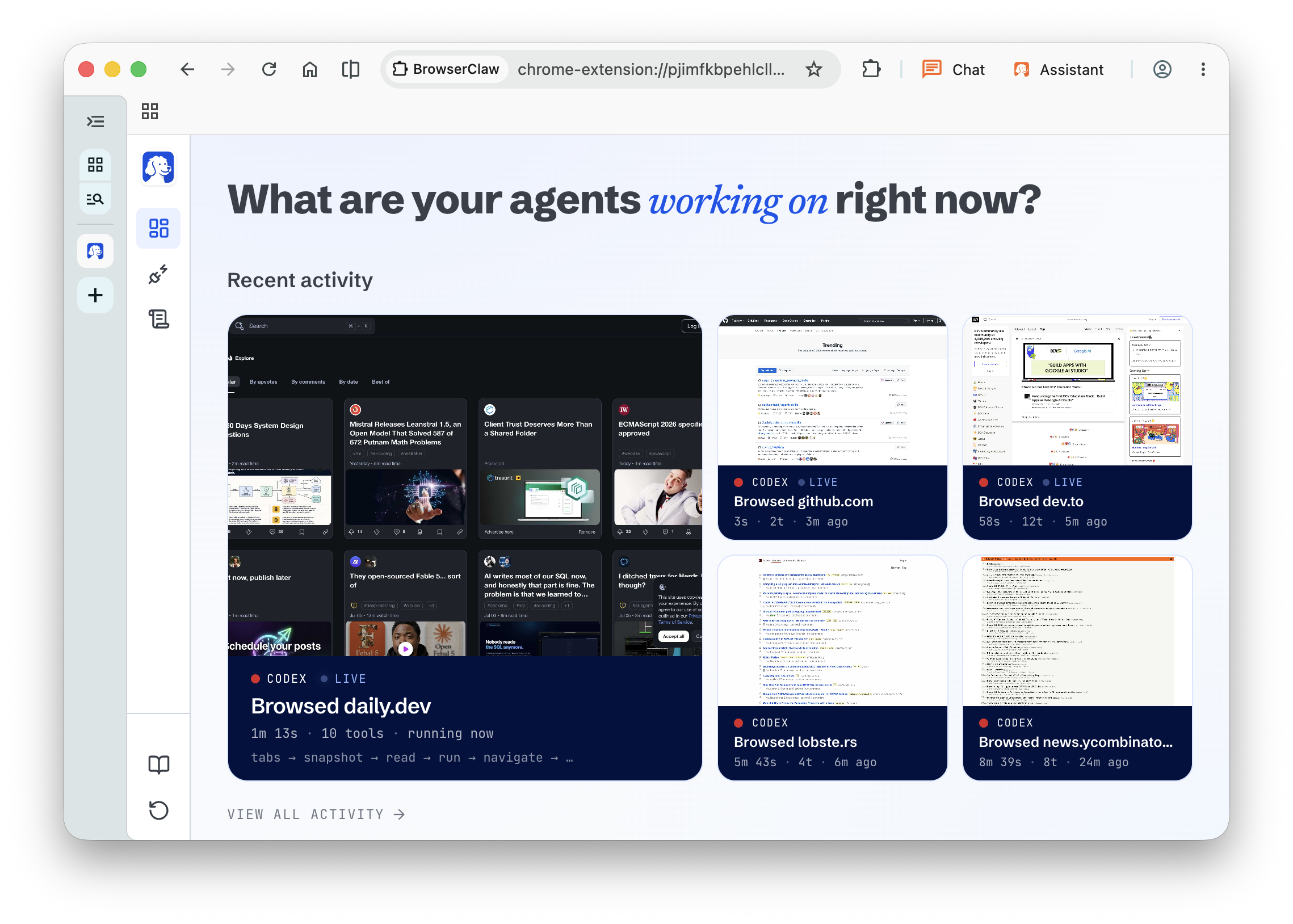
A dashboard shows every running agent in real time.
Every dispatch and screenshot is a row on your disk, yours to grep or delete.
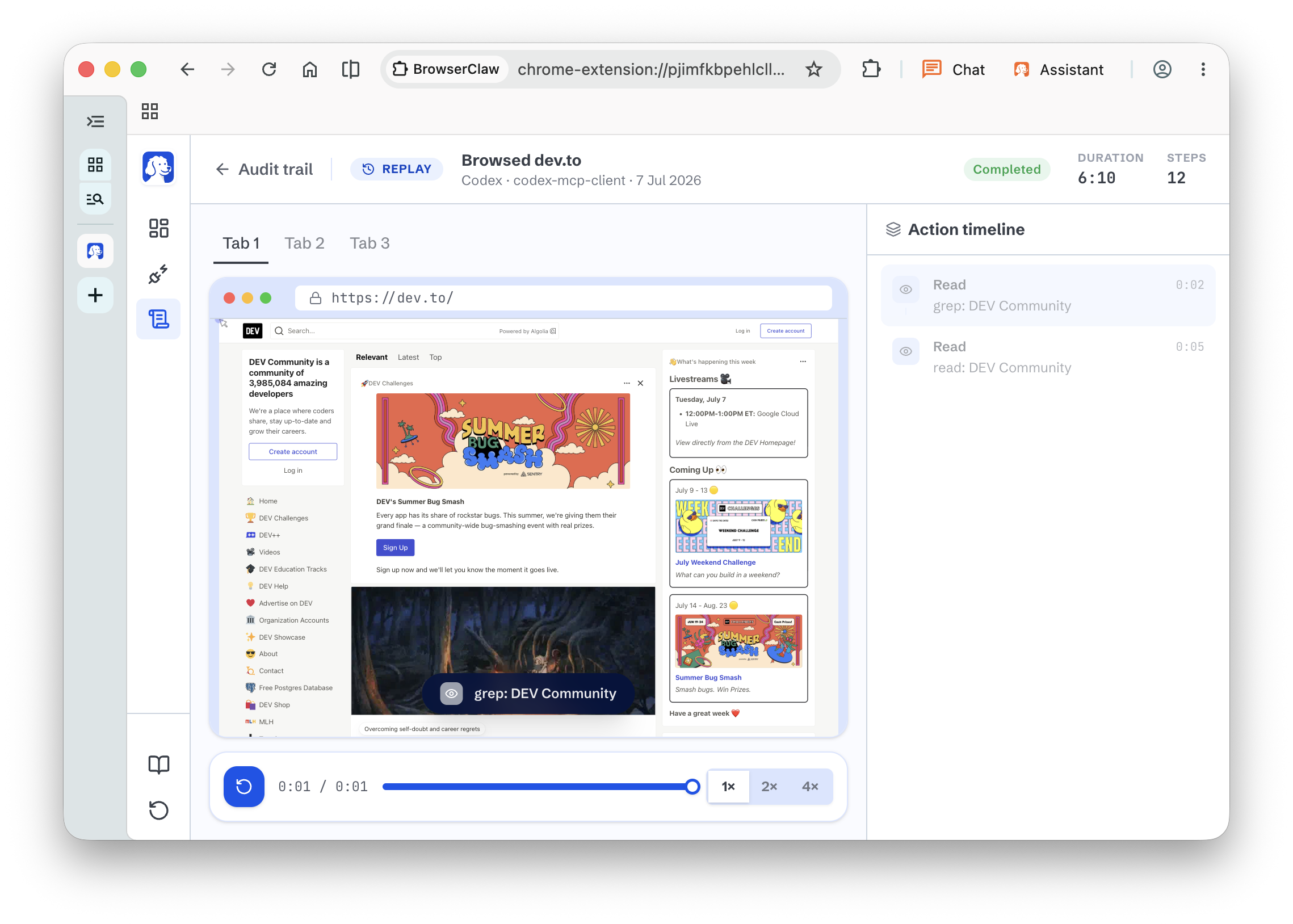
Watch what went wrong, then tell your agent what to do next time.
Powered by MCP, the open standard for AI integrations


Step 01
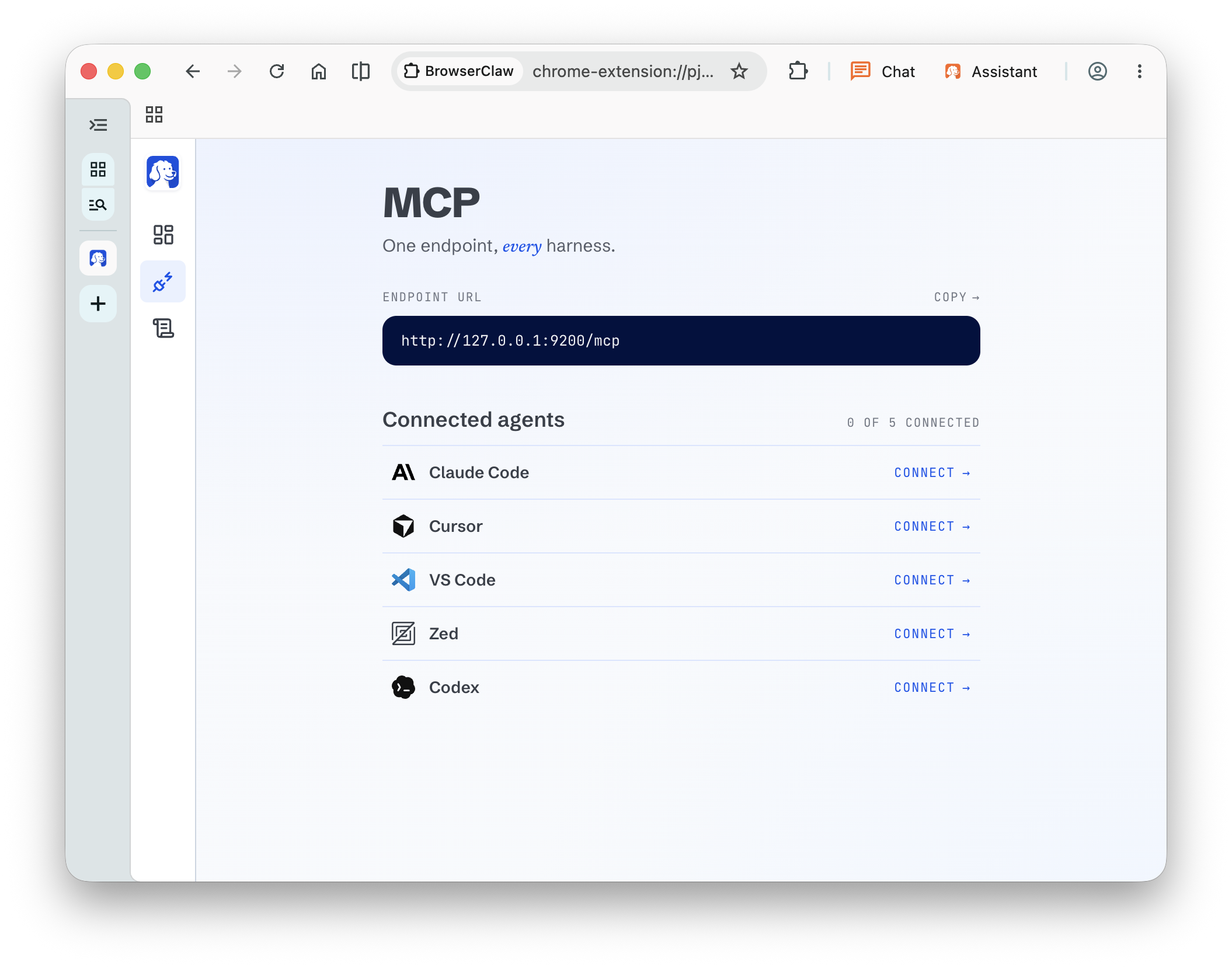
One click connects BrowserClaw to Claude Code, Cursor, Codex, or your own agent. No config files, no CLI.

Step 02
Ask in your terminal or IDE. Claude, Cursor, or Codex now has a browser and can navigate, click, and read the web signed in as you.

Step 03
A dashboard on your new-tab page shows every running agent in real time. Which site, which tool, how many steps.

Step 04
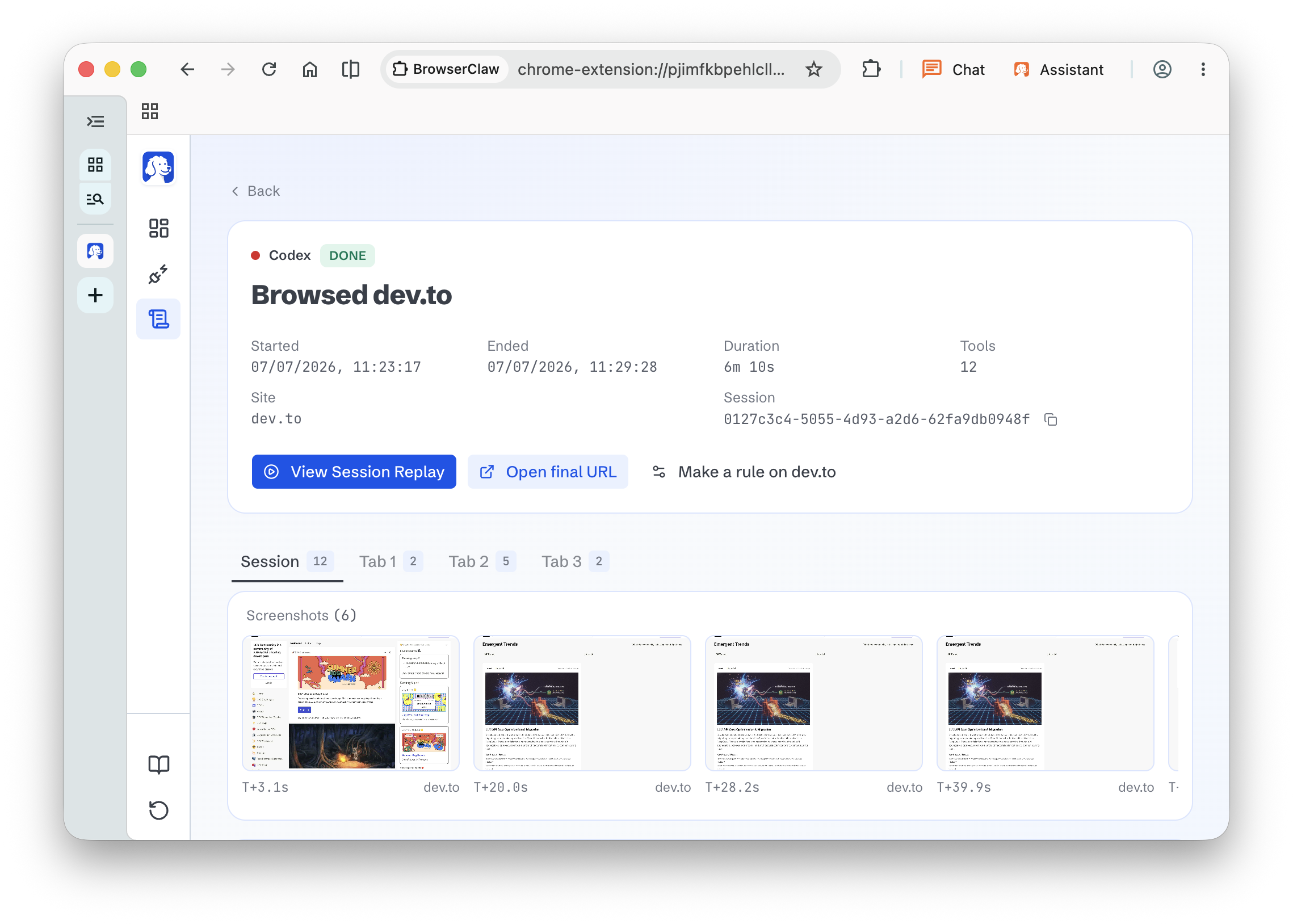
Every session is saved as a scrubbable video. Rewind, spot the mistake, and give the agent better instructions.
Every agent opens its own tabs to work in and never touches the ones you already have open. It cannot close the doc you are writing, cannot steer the tab you are actively using, cannot step on your live window. You keep working while it works next to you.
Session history, screenshots, replays, and settings are files on your disk. Nothing goes to a dashboard we own. Open source, top to bottom.
| Feature | BrowserClaw | Others today |
|---|---|---|
| Agents use my real logged-in accounts | Yes | No, sandbox only |
| My AI can use a real browser | Yes | Some. Most use a spec. |
| I can watch my AI live | Yes | No |
| I can rewind a session and coach the agent | Yes | No |
| My AIs stay in their own tabs | Yes | No |
| Runs on my machine, no cloud | Yes | Some |
| Works with any AI agent | Yes, 6 one-click | Manual config |
| Free and open source | Yes | Some |
| Every action logged locally | Yes | No |
Free for macOS and Windows.
Open BrowserClaw, choose your harness, click Connect.

Just ask. Your agent reaches for BrowserClaw whenever the task hits the web.
$ claude
> Book me the cheapest
flight to London.
> opening BrowserClaw...Everything you need to know about BrowserClaw.
BrowserClaw is a free, open-source browser your AI agents drive using your logged-in accounts. Your AI opens its own tabs inside it, and you watch, approve, and audit every step from a dashboard on your new-tab page.
Yes. BrowserClaw is completely free and open source under the AGPL-3.0 license. You bring your own AI provider keys.
Any AI agent that supports MCP, which is essentially every serious AI coding tool today. Claude Code, Cursor, Codex, VS Code, Zed, and GitHub Copilot install with one click. Anything else connects with a URL.
Yes. Open BrowserClaw, click Connect on the Claude Code row in the MCP install board, and Claude Code has a browser.
Yes. Codex is supported through the same one-click install as every other harness. No config file editing.
Not required. BrowserClaw is a standalone browser you install on macOS or Windows. If you also use BrowserOS as your daily human browser, the two products live side by side.
Everything runs on your machine. Session history, screenshots, replays, and settings are files on your disk. Your logins stay in your browser profile, same as any browser you use. Nothing goes to a dashboard we own. Open source, top to bottom.
Yes. Every agent gets its own set of tabs, tracked separately. Codex and Claude Code can each work on their own tasks at the same time without stepping on each other.
No. Every agent opens its own tabs to work in and never touches the ones you already have open. It cannot close the doc you are writing or steer the tab you are actively using. You keep working while it works.
Yes, that is the point. Agents drive BrowserClaw using the sessions you already have, so they automate your real work instead of poking a sandbox with no context. Per-agent profile isolation is on the roadmap if you want to keep them apart.
Yes. Every session is saved as a scrubbable video. Rewind, spot the moment things went sideways, and give the agent a better instruction next time.
macOS and Windows. System requirements match Google Chrome or Safari.
Yes. BrowserClaw is fully open source. The source code lives at github.com/browseros-ai/BrowserOS.
Free. Open source. Yours. Runs on your machine.
AGPL-3.0 license * 10k GitHub * Works with any AI agent